
Features / Item Database

Item Database

Build your own library of pre-priced line items by trade category — and drop them into any estimate instantly.
The problem

  • Re-pricing the same line items on every estimate wastes hours
  • Pricing quietly drifts between estimates when you're working from memory
  • New team members don't know your standard pricing

How BidRunnerPro helps

  • Build a reusable library of line items organized by trade
  • Pull any item into an estimate with one click, fully priced
  • Update a price once and use it everywhere going forward
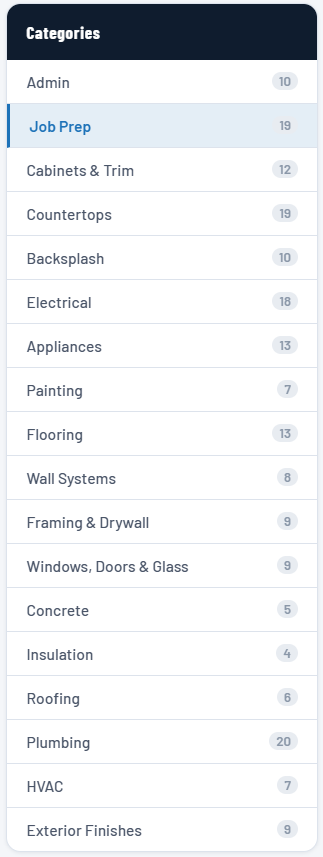
Item database categories — every trade organized in one place
Organized your way

Your pricing, organized by trade

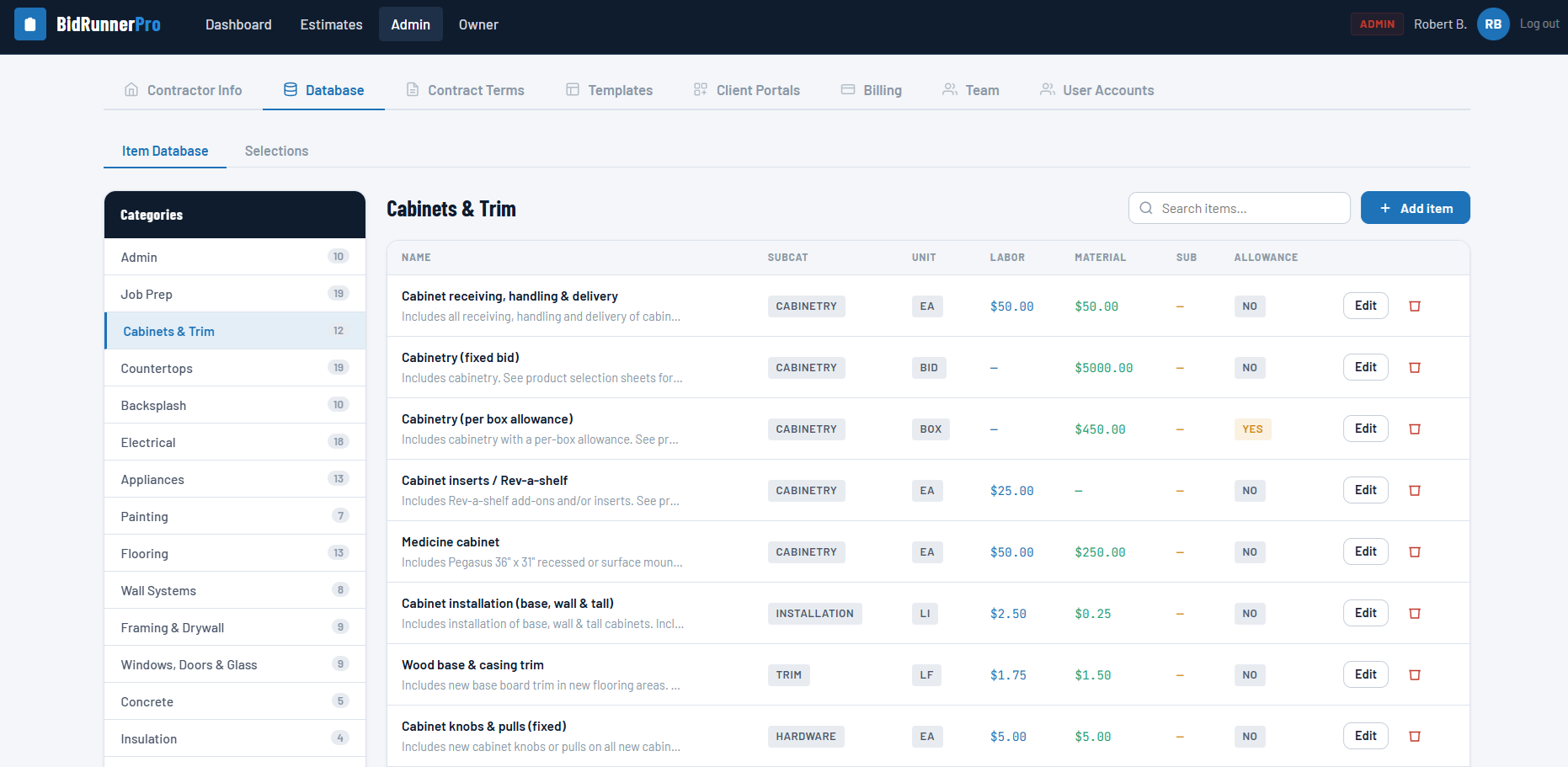
Store labor, material, and subcontractor cost for every item you regularly use, organized by trade category so it's easy to find what you need.
  • Organize items by trade category
  • Store labor, material & sub cost per item
  • Unlimited items in your library
Cabinets & Trim — priced items ready to edit or add to
Flexible when you need it

Add custom items anytime

Not every job fits your standard library. Add a one-off item on the fly during estimating, then save it back to your database for next time.
  • Add business-specific items on the fly
  • Save new items back to your database
  • Keep pricing consistent across your team
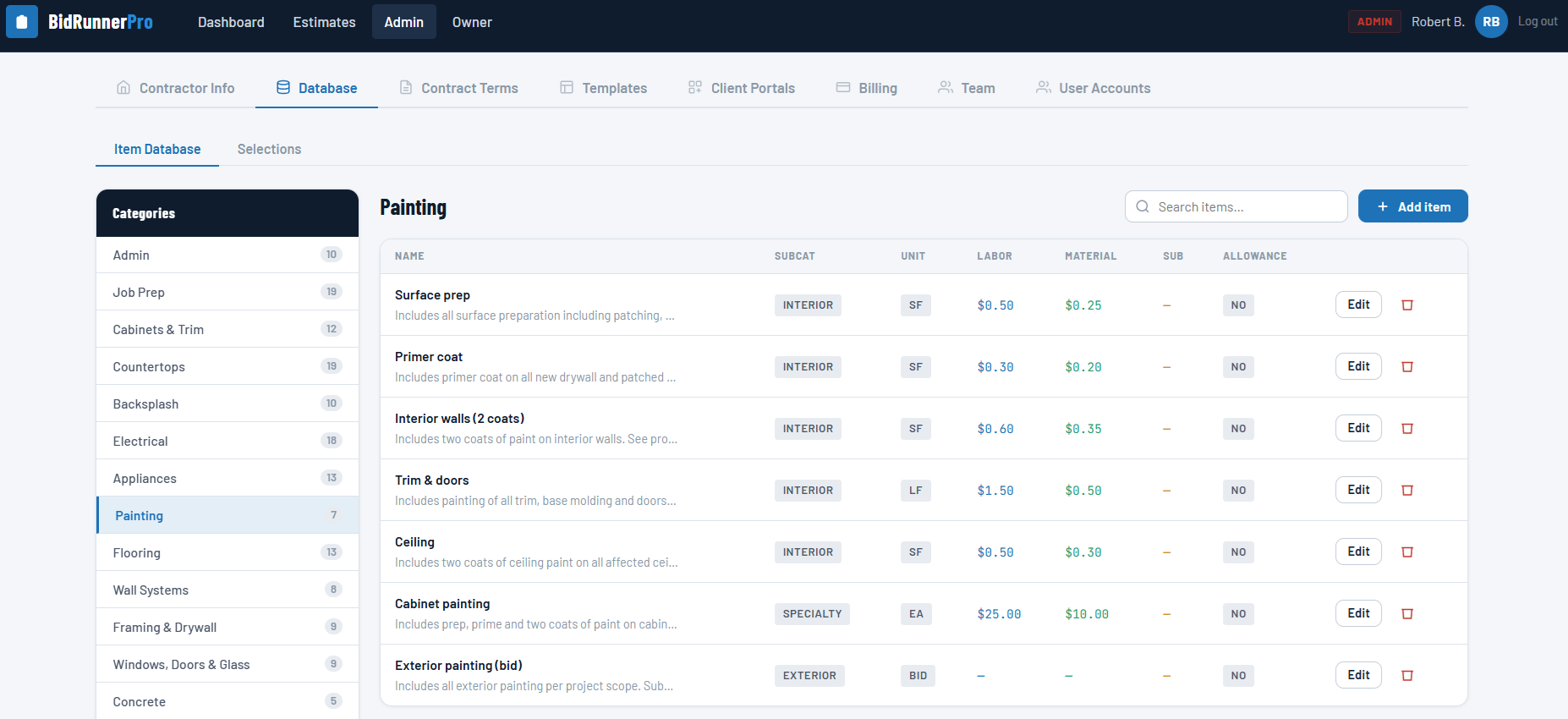
Painting — pre-priced labor & material costs by item
Speed that compounds

Estimate faster every time

Drop pre-priced items straight into a new estimate instead of retyping costs from memory — and get new estimators up to speed on day one.

  • Drop pre-priced items straight into an estimate
  • No retyping costs from memory
  • New hires estimate like a pro on day one

Ready to start winning more bids?

Join contractors already using BidRunnerPro. Your first 30 days are free.

Start free trial Log in to your account
FAQ

Item Database — common questions

Yes — structure your item database by trade category so pricing is easy to find and stays consistent across estimates.
The updated price is used the next time you pull that item into an estimate; estimates you've already sent are not retroactively changed.
Yes — add a custom item directly inside an estimate at any time, and optionally save it to your database for future use.
No — your item database supports unlimited items on every plan.