
Features / Contract Writer

Contract Writer

Generate a fully formatted contract straight from your estimate — scope, payment schedule, and terms, auto-filled.

The problem

  • Writing a contract from scratch for every job eats an evening
  • Copy-pasting from an old Word doc means outdated terms and typos
  • Estimate details and contract details slowly drift apart

How BidRunnerPro helps

  • Your estimate becomes the contract — no retyping scope or pricing
  • Client info, payment schedule, and standard terms auto-fill
  • Download as a PDF or send for approval in one click
Contract generated from an estimate images/features/contract-writer-1.jpg
No duplicate data entry

From estimate to contract, instantly

The scope, line items, and pricing you already built into your estimate carry straight over — nothing to retype, nothing to reconcile later.
  • Full scope pulled from your line items
  • Client & project info auto-filled
  • No duplicate data entry, ever
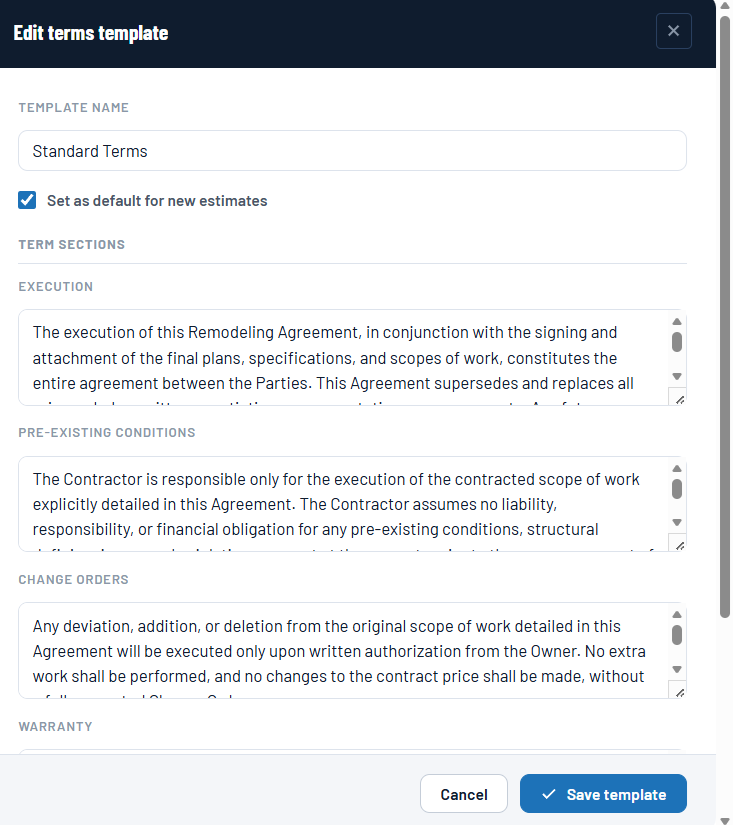
Editing a standard terms template — execution, pre-existing conditions, change orders & warranty
Consistent, every time

Your standard terms, every time

Save your own standard terms and conditions once, attach a payment schedule template, and every contract goes out looking professional and consistent.

  • Save your own standard terms & conditions
  • Attach a payment schedule template
  • Consistent, professional formatting
PDF download & client portal delivery images/features/contract-writer-3.jpg
Ready to send

Send it and get it signed

Download a clean, print-ready PDF or send the contract directly through the client portal, with a copy kept alongside the estimate.

  • Download as a clean PDF
  • Send directly through the client portal
  • Keep a record with every estimate

Ready to start winning more bids?

Join contractors already using BidRunnerPro. Your first 30 days are free.

Start free trial Log in to your account
FAQ

Contract Writer — common questions

Yes — scope, line items, and pricing come straight from the estimate you've already built, so the two never fall out of sync.
Yes. Set up your own standard terms and conditions once in your account settings and they'll be included on every contract you generate.
Clients can review the contract in their portal and approve it there, or you can send the downloaded PDF through your own signature workflow.
The contract is a formatted legal document built from your terms and estimate — we'd always recommend having your own attorney review your standard terms and conditions for your state and trade.